How to Connect Your LiftMaster or Chamberlain myQ Garage Door Openers with Jervis Systems®
You can connect your LiftMaster or Chamberlain myQ garage door openers with Jervis Systems using our official connection.
Using our guide below, we will walk you through how you can transform your garage into a guest entryway for your properties.
We walk you through the quick setup process for your myQ devices, which is applicable to both LiftMaster and Chamberlain:
- Before connecting your myQ-powered devices, be sure your property management system (PMS) is connected. To view the instructions for your specific system, check out the user guides on our FAQ page. If you have this already completed, you can move on to Step 2.
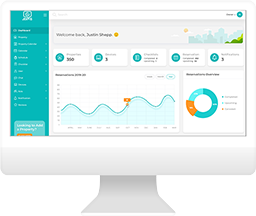
- Once your PMS is connected, navigate to your Jervis Systems Dashboard, go to Devices < Import Devices. Then select either LiftMaster myQ or Chamberlain myQ from the drop-down list.

- Our system will then walk you through the steps of authenticating and authorizing Jervis Systems.

- Once you have connected your accounts, select the Refresh button on the Devices page to show your imported devices. Then, select the drop-down list under the Assigned Listings column to assign the device(s) to a listing Be sure devices are assigned to the correct property. After assigning your device, the status will show as enabled.

- Going forward, if you are looking to import newly added LiftMaster or Chamberlain myQ devices, do not re-import the vendor. Use the Refresh Devices option at the top of the Devices page.
That’s it! Now, your garage door openers are mapped to your respective listings. When reservations come in, Jervis will automatically assign access to your guests through our Jervis Systems mobile app (available in the iOS and Android App Stores) and our web app (AccessMyProperty.com).
Note: For myQ garage doors, SET PIN codes are not supported on the physical wall keypad. Guests will still be able to use their Jervis-generated PIN to open the garage via the mobile app or web app during their reservation.
What does this mean? Your garage doors are now an entryway for guests. No more issuing out garage door remote controls for guest stays! Instead, your guests can easily use the Jervis Systems mobile or web app to securely open and close the garage doors.

Need additional help and support? Check out the additional user guides on our FAQ page. You can also get help by submitting a Support Request via your Jervis Systems dashboard.
RECENT POSTS

Jervis Smart Device Integration Status
March 27, 2026


Jervis Systems®: The Future of Property Automation
June 26, 2020


Top 4 Tips On Renting Your Private Property Long-Term
July 21, 2020
Categories
- Airbnb Mastery (1)
- Integrations (10)
- Jervis Systems Guides (142)
- Property Projects (1)
- Real Estate Tips (5)
- Rental Property Tips (10)
- Technology Solutions (10)