How to Log In to Jervis Systems®
If you’re just getting started with Jervis, we’ve prepared a quick guide on how to log into your Jervis Systems® account.
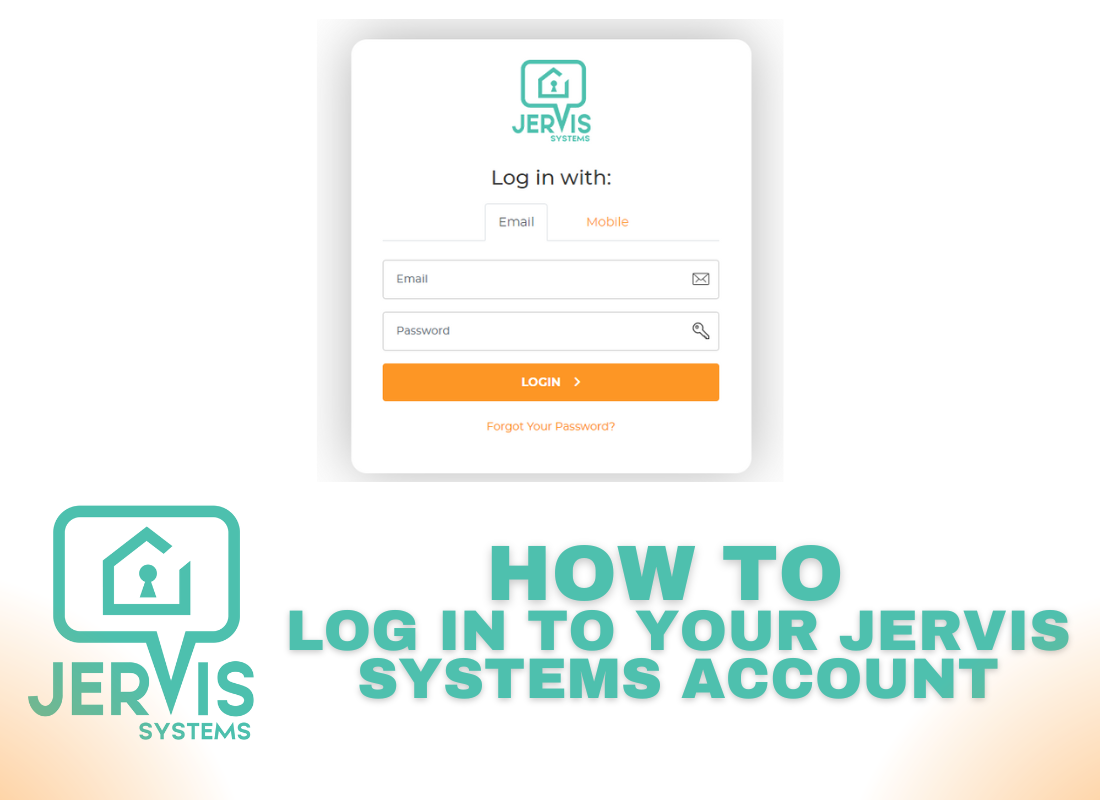
- Open https://www.jervis.systems on your computer or smartphone and select the option to log in.

- Enter your email and password, or use your phone number to send yourself a one-time password to access.

- If you’re logging in via email and have enabled two-factor authentication, you’ll need to open your Authenticator App to retrieve your one-time password. For additional steps on setting up multi-factor authorization, click here.

Success! You have successfully logged in to your Jervis Systems account!

RECENT POSTS

Jervis Smart Device Integration Status
March 27, 2026


Jervis Systems®: The Future of Property Automation
June 26, 2020



Top 4 Tips On Renting Your Private Property Long-Term
July 21, 2020
Categories
- Airbnb Mastery (1)
- Integrations (10)
- Jervis Systems Guides (142)
- Property Projects (1)
- Real Estate Tips (5)
- Rental Property Tips (10)
- Technology Solutions (10)