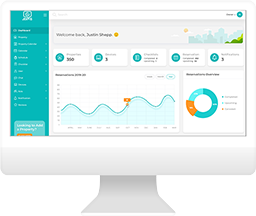

How to Turn Devices On or Off for Reservations
If you have devices like lights, switches, or smart plugs you would like to switch on or off according to check-in or check-out times, you can configure the settings to program the devices.
Go to the Devices page and select Edit under the Operations menu.

From the Guest Mode, you can turn on devices before a guest checks in. You can also set an offset to apply before check-in. This can be helpful in cases where you accept early check-in.
In addition, you can set the brightness level and certain times that you want the devices to turn on or off.

From the Vacant Mode tab, you can select the option to turn off at check-out time. Like with Guest Mode, you can also configure an offset for how long you would like the device to be turned off relative to guest check-out.

You can also apply the same settings across your devices by selecting the Bulk Update option on the Devices page in Jervis.

RECENT POSTS

Jervis Smart Device Integration Status
March 27, 2026


Jervis Systems®: The Future of Property Automation
June 26, 2020


Top 4 Tips On Renting Your Private Property Long-Term
July 21, 2020
Categories
- Airbnb Mastery (1)
- Integrations (10)
- Jervis Systems Guides (142)
- Property Projects (1)
- Real Estate Tips (5)
- Rental Property Tips (10)
- Technology Solutions (10)