How to Update August Battery Levels & Troubleshoot False Battery Alerts
Are you getting emails about low battery alerts for your August lock, but you just replaced the batteries?
Here’s what’s going on: August locks operate a little differently, and do not update the battery level automatically when batteries are changed. This leads to false battery alerts.
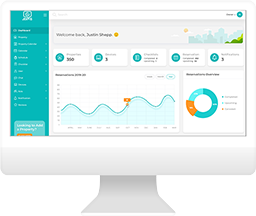
In Jervis, the battery levels are reported exactly as they are provided to us by August. You can view your current battery levels on the Devices page in Jervis Systems.
To update the battery levels, we recommend referencing August’s support article here related to battery alerts, where they recommend the following:
After replacing the batteries, operate your device 3 times using the August app. This should stop the low-battery alerts until the next time the batteries reach 25% capacity.
Note: You must operate the lock over Bluetooth or remotely if you have an August Wi-Fi bridge. Operating your lock manually will not stop the low-battery notifications.
With this approach, you’ll essentially need to lock and unlock the device three times. Once this is completed, you can go to to the Devices page in Jervis Systems and force an update of your battery level status by going to the device line item, clicking on the Operations menu and then selecting Update Battery Level.

If the battery update is successful, you should see the battery level change.

Completing the above approach a few times is sometimes necessary if the first attempt isn’t successful in updating the battery level in Jervis Systems.
If you’ve completed the above steps, but the battery level is still not changing, we recommend contacting August’s support team to let them know that your lock is not updating its battery level.
Need additional help and support? Check out the additional user guides on our FAQ page. You can also get in touch with the Jervis Systems Support Team by submitting a support request via your Jervis Systems account.
RECENT POSTS

Jervis Smart Device Integration Status
March 27, 2026


Jervis Systems®: The Future of Property Automation
June 26, 2020



Top 4 Tips On Renting Your Private Property Long-Term
July 21, 2020
Categories
- Airbnb Mastery (1)
- Integrations (10)
- Jervis Systems Guides (142)
- Property Projects (1)
- Real Estate Tips (5)
- Rental Property Tips (10)
- Technology Solutions (10)